 button.
This type of transaction is available in both the Firm and Trust Bank Accounts.
You can use the Bank Adjustment transaction to record any adjustment necessary to this bank account.
Choose the appropriate bank from the list
by clicking the button.

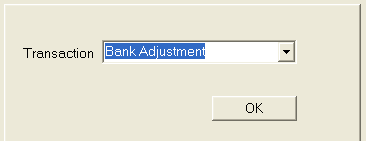
Choose Bank Adjustment by clicking button in the Transaction
field and selecting Bank Adjustment. The
click the  button.
Select the
date by typing in the field with the MM/DD/YYYY
format or click the  button
to choose a date.
button
to choose a date.
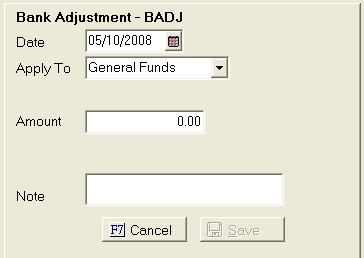
Apply To will default to General Funds.
If general funds has a balance it will appear in the balance field. Next select the amount of the adjustment. If you need to adjust the account down, add a negative amount in the amount field.
Add a note to be displayed in the Bank Account History.
Click the
 button to finish the transaction.
Note: Adjustments made to the bank accounts will not be used for future cost funds or remittance. You must post those types of transactions on the client or debtor accounts.