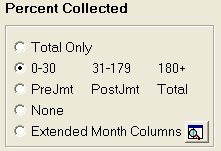
The Collections Statistics Report allow you to determine how you would like collection percentage to be printed on the report.
To select a total percentage only, click the radio button to the left of the Total Only selection.
To select a breakdown of the percentage collected by numbers of days delinquent with columns for 0 to 30 days, 31-179 days and 180 plus days delinquent, click the radio button to the left of the 0-30 31-179 180+ selection.
To select a breakdown of the percentage collected both pre-judgment and post judgment, Click the radio button to the left of PreJmt PostJmt Total selection.
To include no collection percentage, click the radio button to the left of None selection.