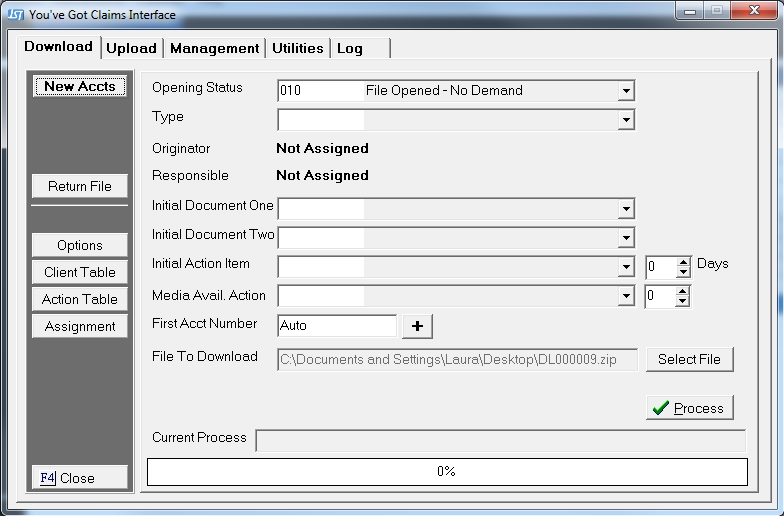
The YGC Interface gives you the option to set a download data path, a backup data path and the case of the data downloaded.
These following options should be set to the firm's preference prior to the first download.
On the download screen,
Click the
 button. This
will take the user to the Options Screen.
button. This
will take the user to the Options Screen.
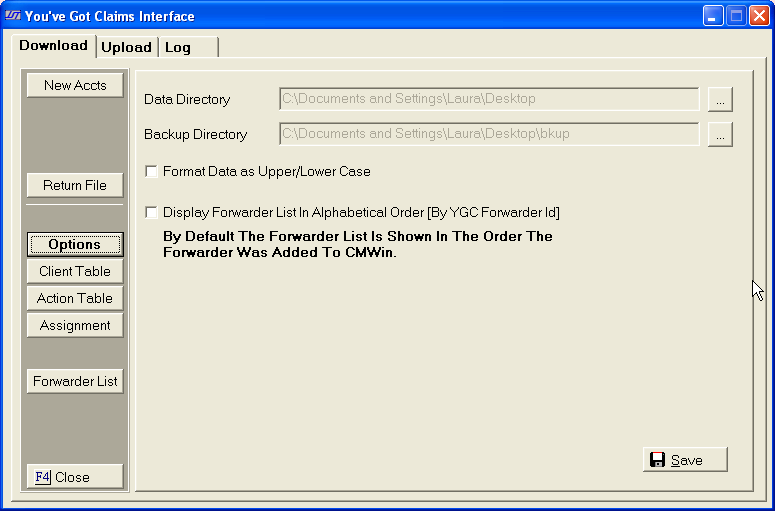
To set the data directory options, see Download Data Directory Options.
If unchecked, the data will be downloading in all upper case. For example: JOHN DOE.
If checked, the data will be downloaded in proper case. For example: John Doe This option does have limitations. For example: If the debtors name is JOHN DOE III, the process will download the name as John Doe Iii.
The Forwarder List is displayed in the order the forwarder was added by default. To change the order to alphabetic, check the box.
Click in
the  to check the box on the options you would like to
turn on.
to check the box on the options you would like to
turn on.
Click the
 button to save the options.