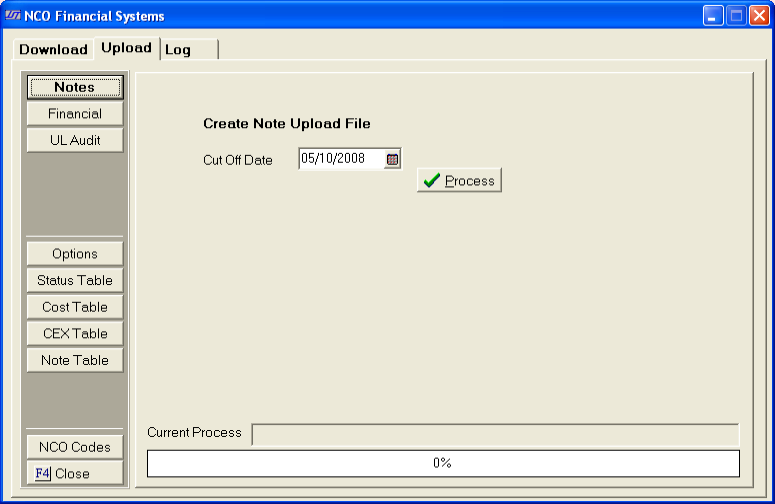
This table will allow users to define the status code list from CollectMax into Network Note Codes to be uploaded. Once the status on a debtors account has been changed a network note code will be sent at next upload. If a code is not defined, the upload process will skip the history of change note.
** The most common use of this table is to automatically send codes for each letter sent on a debtors account. The document should be set to change the debtors status once printed. When the status changes, it will be set to send the note code to the client based on how it is defined in the table.
For example, John Doe, has a current status of 010 (file opened no demand). A demand document with a status change to 011 (demand letter sent) is printed. The status 011 is defined in the table as ZZZ code. At next upload, a ZZZ code will be sent to the client for this debtor.
From the Upload Screen,
Click the
 , this will open the Status Table Screen.
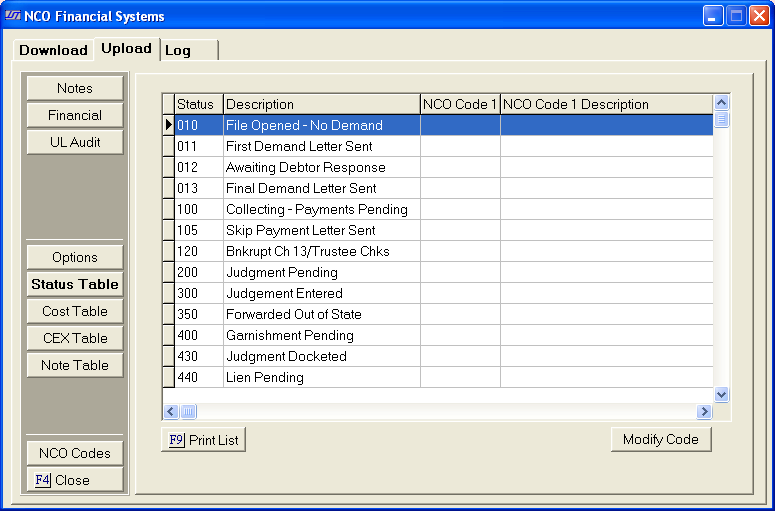
The Screen will display a list of all Status Codes currently in CollectMax.
Highlight the status code that needs to be translated into a network code. Click the
 button. The Modify Status Code Screen will appear.
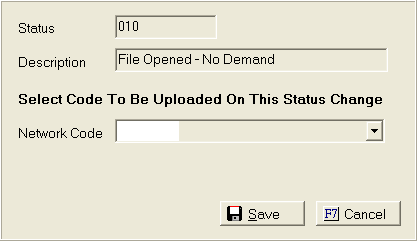
Click the
 button and pick the code from the list of network note
codes. Then
click
button and pick the code from the list of network note
codes. Then
click
 button.
This process only works on status changes. The beginning status is not recognized as a status change.
The CollectMax Status Code List does not include all codes for each Interface. Please see Status Codes for instructions on how to add additional codes.