 button on the left.
 CollectMax allows users to add additional Member Types (categories). The newly added Members will have no corresponding variables to use in creating documents. However, CollectMax allows users to create them when needed.
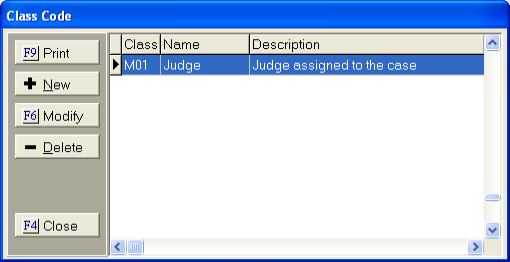
To add an Account Member Type, users must define a Class. You must know the Class for the member to create the variable. To find the Class, go to a debtor account.
1.
Click the button on the left.
2.
Click the
 button.
3.
On the
Account Members screen Click the  button next to Member
Type.
button next to Member
Type.
4. Find the selected member and make note of the Class.
5.
Click the
 button.
6.
From the
document being created, click either  for
Word or JSTVAR
for WordPerfect.
for
Word or JSTVAR
for WordPerfect.
7.
Click the
button and select  .
.
 list for selection and
on the preview document screen.
list for selection and
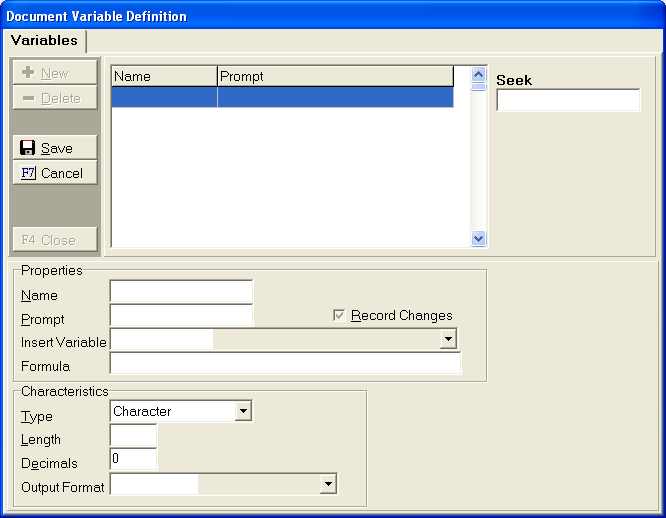
on the preview document screen. Name for Member Name Line 1
Name2 for Member Name Line 2
Suffix for Member Suffix
Addr1 for Member Address Line 1
Addr2 for Member Address Line 2
CityStateZip for Member City State and Zip with no commas
City for Member City
State for Member State
Zip for Member Zip
County for Member County
Contact for Member Contact Line
Phone1 for Member Phone # 1
Phone2 for Member Phone # 2
Alias for Member Alias Line
Salutation for Member Salutation Line

 , then to return to your document. The new
variable is now available for insertion in your document where you need
it to print.
, then to return to your document. The new
variable is now available for insertion in your document where you need
it to print.8. Click on JST End to save your document.