 button.
This type of transaction is only available in the Firm Bank Accounts.
You can use the Bank Deposit transaction to record a deposit for the firm account. This is helpful when you are using CollectMax in order to keep track of all firm expenses and credits, even those unrelated to collections activities.
Choose the
appropriate bank from the list by clicking the button.

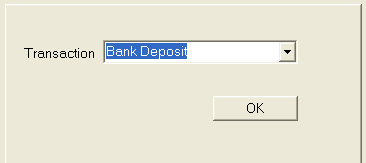
Choose Bank Deposit from the list in the Transaction field by clicking the button. Click
the  button to continue the transaction.
Select the
date by typing in the date with the MM/DD/YYYY
format or click the  button
to choose a date.
button
to choose a date.

Fill in the amount field, and then type in any information necessary in the Note field.
Click the
 box if you would like to include this deposit on the
Deposit Slip Report.
box if you would like to include this deposit on the
Deposit Slip Report.

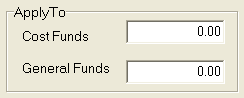
The funds will automatically apply to the general fund.
Click
the  button.